
Download Summarizer.org – AI‑Powered Text Summarization Tool for Fast, Accurate Summaries
Overview
Summarizer.org is a cloud‑based, AI‑driven text summarization service that turns long‑form content into concise, readable summaries in seconds. Built on cutting‑edge natural language processing models, the platform can ingest articles, blog posts, research papers, essays, and even multilingual documents, delivering a short version that preserves the core meaning and context. Users have direct control over the length of the output, choosing from brief bullet‑point extracts to more detailed paragraph‑style summaries.
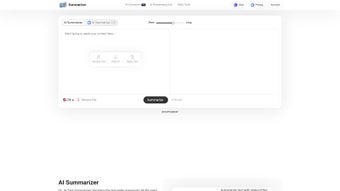
A standout feature is the “Best Line” extraction, which automatically highlights the single sentence that best encapsulates the entire piece, saving readers time when they need the gist instantly. The interface is deliberately minimalistic: paste or type your text, confirm a simple reCAPTCHA, and click “Summarize.” The result appears on‑screen, ready to be copied or downloaded as a plain‑text file. Because all processing happens on secure servers and no personal data is stored, privacy‑conscious professionals can trust Summarizer.org with sensitive material.
Best of all, the service is completely free and imposes no daily limits, making it an ideal companion for students, journalists, marketers, and anyone who regularly deals with large volumes of written information.
Core Features of Summarizer.org
- AI‑Enhanced Summarization Engine – Leverages transformer‑based models to understand context, nuance, and key arguments.
- Customizable Summary Length – Choose between ultra‑short (1‑2 sentences), short (3‑5 sentences), or detailed (1‑2 paragraphs) outputs.
- Best Line Extraction – Automatically highlights the most representative sentence for quick insight.
- Multi‑Language Support – Summarizes content in over 20 languages without needing prior translation.
- Key‑Point Highlighting – Generates bullet‑point lists of the most important facts and arguments.
- One‑Click Copy & Download – Instantly copy the summary to the clipboard or download a .txt file.
- Zero‑Storage Privacy Policy – No personal data or input text is retained after the session ends.
- Unlimited Free Access – No registration, no hidden fees, and no daily caps on the number of summaries.
- Responsive Web Design – Works smoothly on desktops, tablets, and smartphones.
- Simple reCAPTCHA Protection – Blocks bots while keeping the user experience frictionless.
The combination of these capabilities positions Summarizer.org as a versatile, low‑maintenance solution for anyone who needs to digest large bodies of text quickly. Whether you are a researcher extracting the essence of a scientific paper, a marketer skimming competitor blogs, or a student preparing study notes, the tool adapts to your workflow without demanding a steep learning curve.
How to Install and Use Summarizer.org
Step‑by‑Step Installation (No Download Required)
Because Summarizer.org is a web‑based service, there is no traditional installation process. All you need is a modern web browser (Chrome, Firefox, Edge, Safari, or any Chromium‑based mobile browser). Simply navigate to summarizer.org, and you’ll be greeted by the clean input panel.
Using the Tool Effectively
- Paste or Type Your Text – Copy the passage you want to condense and paste it into the large text box. The platform accepts up to 10,000 characters per submission, which covers most articles and essays.
- Select Summary Length – Use the slider beneath the input field to set the desired brevity level. The slider is labeled “Brief,” “Standard,” and “Detailed.”
- Activate reCAPTCHA – Click the “I’m not a robot” checkbox. This step takes only a second and protects the service from automated abuse.
- Click “Summarize” – The AI begins processing. Most summaries are generated within 2‑5 seconds, depending on the length of the source text.
- Review the Output – The summary appears in a separate pane. If you enabled “Best Line,” the highlighted sentence will be shown at the top.
- Copy or Download – Use the “Copy” button to place the summary on your clipboard, or click “Download” to save a .txt file for offline reference.
For power users, Summarizer.org also offers a browser extension (available for Chrome and Firefox) that adds a “Summarize this page” button to the toolbar. Installing the extension follows the standard store process: click “Add to Chrome” or “Add to Firefox,” confirm permissions, and the button appears. With a single click, the current webpage’s main content is sent to the summarizer, and the result pops up in a lightweight overlay.
Because everything runs in the cloud, updates to the AI model are seamless. Users always benefit from the latest improvements without needing to download patches or restart the application.
Compatibility, Pros & Cons
Supported Platforms: Summarizer.org runs on any device that can access a modern web browser, including Windows 10/11, macOS Ventura and later, Linux distributions, Android 8.0+, and iOS 13+. The responsive design ensures the interface scales correctly on tablets and smartphones, making it a truly cross‑platform tool.
Pros
- Free with unlimited daily usage.
- AI model delivers highly accurate, context‑preserving summaries.
- No installation required – works instantly in the browser.
- Multi‑language capability removes the need for external translation tools.
- Best line extraction provides an instant “takeaway” sentence.
- Strict privacy policy guarantees that user data is not stored.
- Responsive UI works on desktop, tablet, and mobile devices.
Cons
- Requires an active internet connection; offline use is not possible.
- Maximum input length (10,000 characters) may be limiting for very long documents.
- Customization options are limited to length and best‑line toggle; no advanced style controls.
- Occasional latency spikes during peak traffic periods.
Frequently Asked Questions
Is Summarizer.org really free, or are there hidden charges?
Yes, Summarizer.org is completely free. There are no subscription fees, no premium tiers, and no limits on the number of daily summaries. The service is funded by optional donations and ads that do not interfere with the user experience.
Can I use Summarizer.org on my mobile phone?
Absolutely. The web interface is fully responsive, and the tool works on any modern mobile browser (Chrome, Safari, Edge, Firefox). There is also a lightweight browser extension for Android and iOS that adds a “Summarize this page” button directly in the share menu.
How does Summarizer.org protect my privacy?
The platform follows a strict zero‑storage policy. Once a summary is generated, the original text and the resulting summary are deleted from the server within seconds. No personal identifiers, IP addresses, or content are logged or retained.
What languages are supported for summarization?
Summarizer.org currently supports more than 20 languages, including English, Spanish, French, German, Chinese (Simplified), Japanese, Arabic, Portuguese, Russian, and Italian. The AI automatically detects the language of the input text.
Is there a limit to the length of text I can summarize?
Yes. Each submission can contain up to 10,000 characters (approximately 1,500‑2,000 words). This limit covers the vast majority of articles and blog posts. For longer documents, you can split the text into multiple sections and summarize each part individually.
Conclusion & Call to Action
Summarizer.org delivers a powerful, AI‑driven summarization experience that is both free and privacy‑first. Its ability to condense multi‑language content, highlight key points, and surface the single most impactful sentence makes it an indispensable tool for professionals, students, and casual readers alike. While it does rely on an internet connection and has a modest character limit, these trade‑offs are outweighed by the speed, accuracy, and zero‑cost nature of the service. If you regularly face information overload—whether you’re researching market trends, preparing academic notes, or simply trying to skim the news—click the link below to start summarizing instantly.



.png)



